Tuesday, May 25, 2010

Module 4

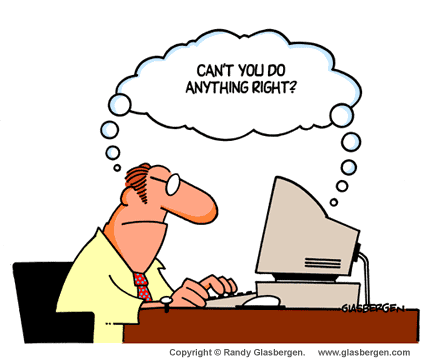
Ah so true!

Module 4 got me into the wide world of flickr and there I stayed for many, many minutes while my slow internet connection tried to load up my measly five images......GRRRRRR.

I think with a better internet connection this site could be very fun. There are a few interesting options for using flickr in the classroom but also some issues to consider. Privacy and copyright are a big concern. Parents need to give permission for any photographs of their children to be published and teachers should carefully consider the need for putting their students photographs on what is essentially a social networking site. As is so often reported in the media, social networking sites do not always have the best protection for our personal details. Until these privacy issues are dealt with, it is important to keep our children protected.

An effective way to utilise flickr in the classroom is as an online art gallery. The children can take photographs of their own artwork and then upload them onto the class flickr account. This would allow the children an opportunity to learn how to use a digital camera as well as develop the skills involved with uploading images. It would also give parents an insight into some of the artwork that is in the classroom. Often artwork does not come home because it may get lost or because of other reasons such as living arrangements. As a result, parents and grandparents are unable to view their child's masterpieces. This way many people can view the children's work and also make comments.

flickr can also be used as a search tool whne children are looking for images although this may also be dangerous as the content is not monitored.

This unit also tapped into some deeper issues regarding copyright. I had not heard of Creative Commons until starting this module and am I thrilled to have discovered this wonderful resource. Something that I found interesting is that an author may not own copyright of their text! It was fascinating to read what we are and are not able to use from the web in the classroom.


The Mayer and Bettle animations are excellent. I am planning to use them in class to teach the children about the importance of copyright and why correctly referencing any material that they are using when creating multimedia presentations or when using web 2.0 is important. This is an essential skill to develop, because when the students reach high school and university they need to be referencing material when writing assignments. It also gets them into the mode of looking for material to use that is free of copyright.

This was an interesting module. Hopefully next term I will begin my online art gallery I will keep you posted!

Monday, May 3, 2010

Module 3


What a great little secret this has turned out to be! I was so excited about this application I started using it within my school the very next day.

Googledocs is an amazing resource, as it allows access to documents 24/7. It also means that you can access shared documents from any computer, allowing staff and students to work from home and at any time of the day or night. I believe this would be very beneficial to all members of staff but particularly the executive staff or staff members working on specialised committees where there is more than one person working on the same document.

In addition to this, googledocs would be highly effective when uploading meeting minutes as they can be accessed from outside the school for those staff members who are unable to make a meeting or access the school server. School rosters may also be stored in this location with emails being sent as they are updated. Within our school we ask staff to complete surveys related to many topics. It would be advantageous to use googledocs as an easy way to set up a survey for staff to complete in their own time and would also mean that there is no loss of surveys and data as it is retained in one secure location.

The fact that documents can be stored online allows students who do not have access to a USB device to save work at school and work on it at home, with all updates being immediately saved and a copy of each version accessible. It also allows students who are working on a group project to have equal access to the document without the hassle of having to work after school at each others houses or having to share a computer. This has the added bonus of allowing teachers to assess who is putting in the most work to the project.

This application makes collaboration much easier. In fact, it encourages it, whether it be collaboration between staff, students or both. Working in a small school, there is often less opportunity for collaboratively planned units of work as time is often of the essence. This application allows teachers to work together from the comfort of their own homes.

It would also offer an opportunity for Gifted and Talented students to work on projects the teacher sets up as a platform that they add to. The teacher may not have time to check the work the student has done during class time, but they could then access this at home and add ideas or comments so that the child is able to continue working on the project independently. I also believe that the standard of work may improve as the children are publishing work at a www level. If they know that other people are likely to read their work , they may be more diligent in editing.

The more I write, the more ideas I come up with! I am planning to initiate my colleagues with using googledocs at a staff meeting next term and work with the executive to trial its use within our school. As a lover of all things environmental, I am always looking for new ways to lower the paper trail and I think this is one that just might work. Although, like with all changes it is important that staff understand how to use this so that it becomes sustainable rather than just another good idea that didn't quite work in practice.